
The Role of Thunerbolt 4 Docks in Modern Workstation
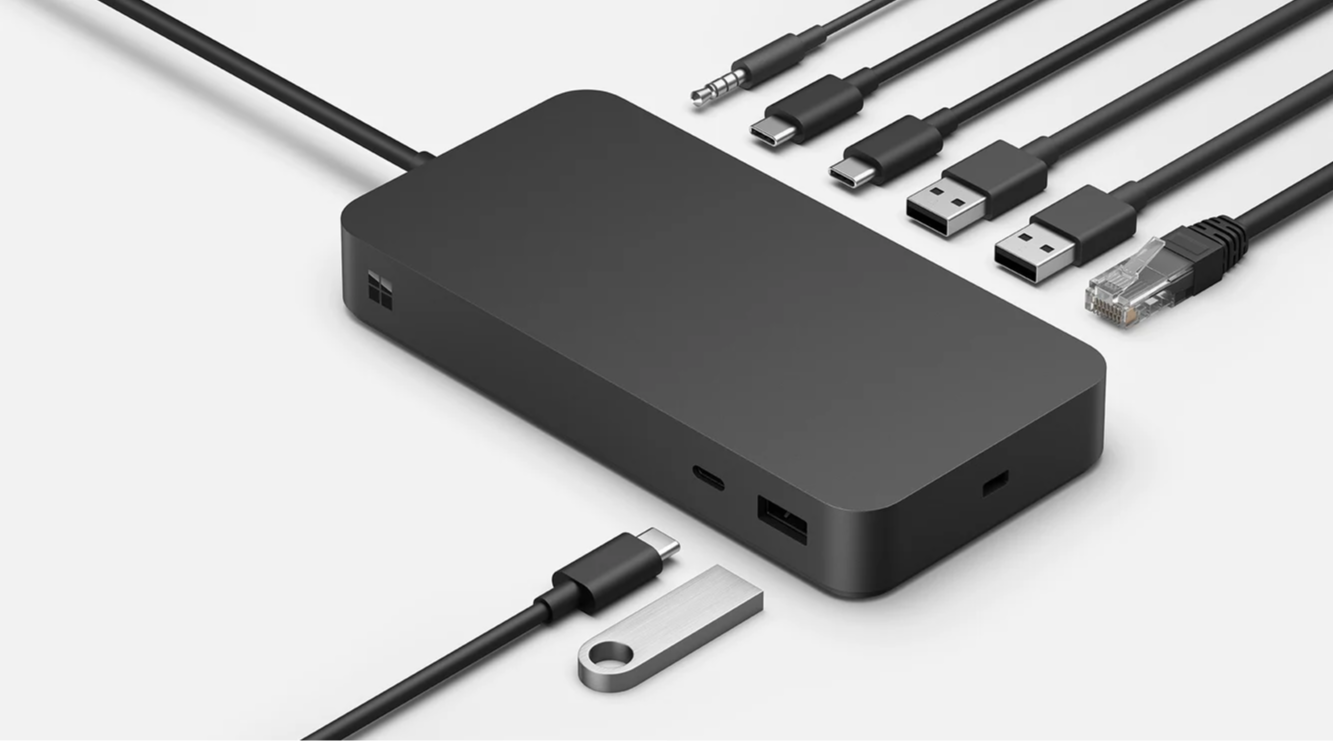
In today's busy world, hybrid work environment, proffessionals needs to maximize productivity and performance without sacrificing portability. Thunderbolt 4 dock can transform your laptop into a powerful workstation. This small device helps to connect everything you need, like monitors, external storage and other devices all with one cable.
A Thunderbolt 4 docking station is designed to make your life easier. It allows you to connect your laptop to multiple devices, including dual 4K monitors or even a single 8K display.The Thunderbolt 4 docking station offers 40Gbps high-speed data transfer, ensuring that large files are transferred quickly and that your most demanding applications run smoothly.Say goodbye to slow file transfers and messy cables!With a Thunderbolt 4 dock, you only need one cable to connect your laptop to things like external hard drives, keyboards, and Ethernet. This means no more cluttered desk or wasting time plugging in different cables.
Boost Your Productivity with Thunderbolt 4 Docks
The Thunderbolt 4 dock is perfect for all kinds of professionals who need to get more done:
-
Creatives like designers, video editors, and photographers can use it to connect multiple monitors and quickly access large files.
-
Developers and engineers can run complex programs, connect to external GPUs, and store large amounts of data.
-
Remote workers can set up a future-proof workstation wherever they are, whether it's at home or in the office.
This dock makes it easier to manage your devices, keeping everything in one place and ready to go. You’ll be able to work faster and more efficiently, no matter where you are.
Why Thunderbolt 4 Docks Are a Great Investment
Thunderbolt 4 docks are a good investment because they offer high-speed data transfer, streamlined cable management, and easy connectivity to various peripherals. They're particularly valuable for professionals who need to connect multiple displays, transfer large files, or charge multiple devices simultaneously. Thunderbolt 4 provides faster data transfer rates (40 Gbps) compared to USB-C (20 Gbps), allowing for smoother workflows and faster file transfers.
It doesn’t matter if you’re using a MacBook, a Windows laptop, or even a Linux device—the Thunderbolt 4 dock connects to all of them, making it a universal solution for any workstation.
Key Benefits of Thunderbolt 4 Docks
-
Super Fast Speed: Transfer data and files at 40Gbps, so everything works faster.
-
Multiple Monitors: Connect dual 4K monitors or a single 8K display to get more work done.
-
One Cable: Connect everything you need—like your keyboard, mouse, and external storage—with just one cable.
-
Efficient Power: The dock provides up to 90W power delivery to keep your laptop charged while you work.
Here’s what a Thunderbolt 4 docking station offers:
-
Single-cable docking solution: Connect monitors, storage, power, and peripherals through one Thunderbolt cable
-
Multi-monitor docking station support: Easily connect dual 4K monitors or one ultra-high-resolution 8K display
-
Fast data transfers: Ideal for video editors, developers, and data-heavy workflows
-
Reliable charging: Many docks offer up to 90W of power delivery to keep laptops charged while in use
-
Wired internet access: Stable Ethernet connections for better video conferencing and cloud performance
Conclusion
A Thunderbolt 4 docking station is a must-have for anyone looking to create a high-performance workstation. It’s perfect for people who want to easily connect monitors, peripherals, and other devices without dealing with the hassle of multiple cables. Whether you’re a creative professional, a developer, or a remote worker, the Thunderbolt 4 dock can help you get more done in less time.
If you’re ready to upgrade your laptop docking station and work smarter, the Thunderbolt 4 dock is the solution you’ve been waiting for. Take your productivity to the next level and stay ahead of the game!
